
Where to go next
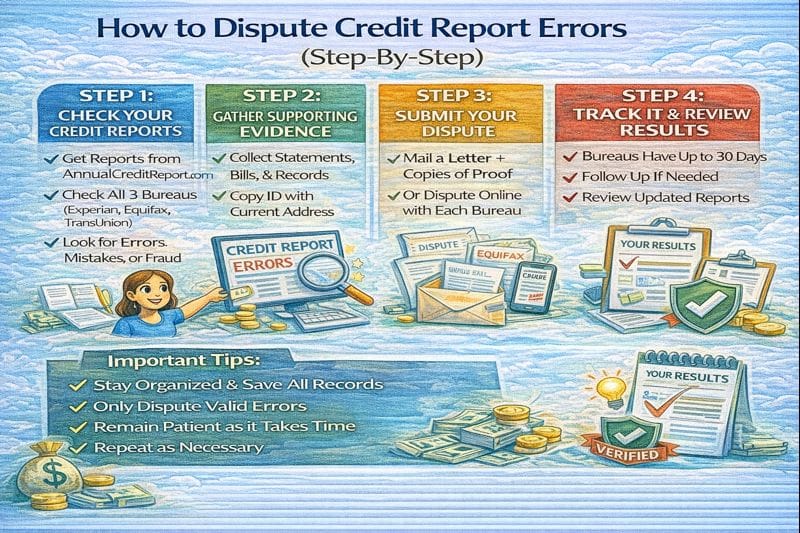
Disputing credit report errors can work—but only when you do it like a clean documentation process, not a rage-click. The goal is simple: remove or correct inaccurate information. If the item is accurate, a dispute usually won’t delete it.
This guide shows exactly what to include, whether online disputes or mailed disputes are better, a dispute letter template you can copy, and what to expect during the timeline.
Quick answer / Key takeaways
- Dispute inaccurate items (wrong account, wrong balance/status, wrong late payment, duplicate reporting, not yours).
- Gather proof first: statements, letters, screenshots, IDs (when relevant).
- Online disputes are fast; mail disputes can be better when you need to attach evidence and control your narrative.
- Be specific: “what’s wrong + what the correct info is + proof.”
- Track deadlines and results: credit dispute timeline.
- If the issue looks like identity theft, start here instead: identity theft first steps.
What counts as a credit report error (and what doesn’t)
Common dispute-worthy errors
- Accounts that aren’t yours (mixed file / fraud).
- Duplicate accounts or duplicated late payments.
- Wrong balance, wrong credit limit, wrong payment status.
- Wrong dates (opened date, delinquency dates).
- Account still reporting open when it was closed, or wrong “paid/settled” status.
- Collections reporting inaccurately (wrong amount, wrong dates, not yours).
Collections guidance: collections on credit report.
What usually won’t be removed by a dispute
- Accurate late payments (“I had a rough month” isn’t a reporting error).
- Accurate charge-offs or collections that are reported correctly.
- “I don’t like this account” disputes without proof.
If your goal is a realistic late-payment fix, that’s a different play:
remove late payments.
Online dispute vs mail: which is better?
Both can work. Use the method that matches the situation.
Online disputes (best when…)
- The error is simple and obvious.
- You don’t need to attach a lot of evidence.
- You want speed and basic tracking.
Mail disputes (best when…)
- You need to attach documents and explain context clearly.
- You want a paper trail and a controlled narrative.
- The issue is complex (mixed file, identity issues, repeated verification).
If you’re handling identity theft: identity theft first steps.
What to include in a dispute (the exact checklist)
This is the “what to include in dispute” tail—here’s the clean list.
Dispute packet checklist
- Your full name, DOB (optional), current address, and report reference number (if provided).
- The bureau name (Experian/Equifax/TransUnion).
- The account name and account number (partial is fine).
- The exact item you’re disputing (one account per bullet).
- What’s wrong (one sentence).
- What the correct information should be (one sentence).
- Copies of supporting documents (never send originals).
- A clear request: “Please delete/correct this item as it is inaccurate.”
Step-by-step: how to dispute credit report errors
Step 1: Pull your reports and mark the errors
Check all three bureaus because the error may appear in one report but not another.
How to check credit reports.
Step 2: Collect proof (before you touch the dispute button)
Examples of proof:
- account statements,
- payoff/closure letters,
- settlement letters,
- payment confirmation screenshots,
- identity documents (if fraud),
- correspondence with the creditor/collector.
Step 3: Dispute with the bureau(s) reporting the error
If the error is on two reports, dispute with both bureaus. Keep your disputes consistent.
Step 4: Keep your dispute narrow and factual
Bad dispute: “This is unfair.”
Good dispute: “Account shows 60 days late in May 2026. Attached statement shows account was current. Please correct payment status.”
Step 5: Track dates, confirmation numbers, and results
Disputes have timelines and outcomes you need to interpret.
Credit dispute timeline.
Step 6: If it comes back “verified,” escalate correctly
“Verified” doesn’t always mean “right.” It means the furnisher confirmed it. Your next move depends on the case.
Credit dispute timeline.
Dispute Letter Generator
Fill in the basics, generate a printable dispute letter, then send it by certified mail (keep copies).
Dispute letter template (copy + edit)
Use this when mailing, or when you want to structure your online explanation.
[Your Full Name]
[Your Current Address]
[City, State ZIP]
[Date]
Re: Credit Report Dispute (Inaccurate Information)
To Whom It May Concern,
I am writing to dispute inaccurate information on my credit report.
Bureau: [Experian / Equifax / TransUnion]
Report reference number (if available): [#]
Item(s) in dispute:
- Creditor/Account: [Name] — Acct #: [Last 4 digits]
What is inaccurate: [One sentence describing the error.]
Requested correction: [Delete this item / Correct status to ____ / Correct balance to ____].
Supporting documents attached:
- [List documents you’re attaching]
Please investigate and correct or delete the inaccurate information as soon as possible. Thank you.
Sincerely,
[Your Name]
[Phone/Email (optional)]
Table: Dispute method choice (online vs mail)
| Situation | Online dispute | Mail dispute |
|---|---|---|
| Simple balance/status error | Good | Good |
| Need to attach multiple documents | Limited | Best |
| Mixed file / identity issues | Risky | Best |
| You want a paper trail | Limited | Best |
| You want speed | Best | Slower |
What happens after you file (timeline preview)
Common outcomes:
- Deleted (best outcome).
- Corrected/updated (still a win).
- Verified (means they say it’s accurate; next step may be needed).
- No change (often due to weak proof or inaccurate claim).
Full explanation and what to do next:
credit dispute timeline.
Common mistakes (why disputes fail)
- Disputing accurate negatives instead of errors.
- Sending no proof and hoping the bureau “figures it out.”
- Writing emotional explanations instead of factual ones.
- Disputing 15 items at once with vague statements (“not mine”).
- Not disputing at the correct bureau(s).
- Not saving confirmation numbers and copies.
Examples / scenarios (If X → do Y)
Scenario 1: Wrong late payment reported
If you have statements showing you were current, dispute the specific month/status and attach proof.
Scenario 2: Collection account isn’t yours
Treat it as potential mixed file or identity theft. Don’t just click dispute—use the identity theft flow.
Identity theft first steps.
Scenario 3: Dispute came back “verified”
Request details, review your evidence, and escalate with stronger documentation if needed.
Credit dispute timeline.
FAQ
What should I include in a credit report dispute?
Account identification, what’s wrong, what the correct info is, and copies of proof documents.
Is it better to dispute online or by mail?
Online is faster for simple issues. Mail is better when you need evidence and a strong paper trail.
How long do credit disputes take?
Typically weeks, but timing varies. Full breakdown: credit dispute timeline.
Why was my dispute “verified” if it’s wrong?
“Verified” means the furnisher confirmed it—not necessarily that it’s truly accurate. Your next step depends on the evidence and error type.
Credit dispute timeline.
Can I dispute collections?
Yes, if the collection is inaccurate. If it’s accurate, the dispute won’t reliably remove it; use a strategy guide instead.
Collections on credit report.