
Where to go next
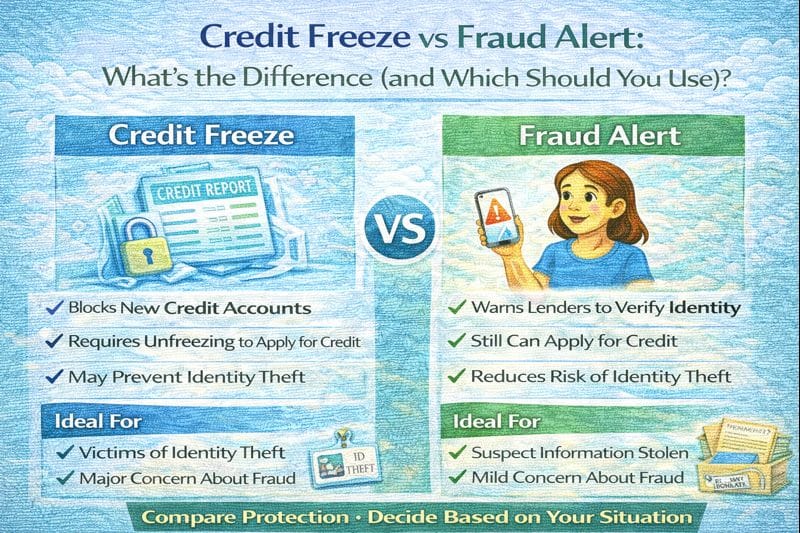
If you’re worried about identity theft or someone opening accounts in your name, you have two common tools: a credit freeze and a fraud alert. They sound similar, but they work differently.
A freeze is the stronger “lock the door” move. A fraud alert is more like “put a sign on the door and make them check ID.” This guide breaks down what each does, how to freeze your credit, how to lift a freeze temporarily, and when each option makes sense.
Quick answer / Key takeaways
- A credit freeze blocks most new credit from being opened using your report until you lift it.
- A fraud alert tells lenders to take extra steps to verify identity, but it doesn’t fully block new credit.
- If you suspect active fraud, a freeze is usually the stronger first move.
- You can temporarily lift a freeze when you need to apply for credit.
- After any protection move, monitor reports for new accounts: how to check credit reports.
Credit freeze vs fraud alert (simple definition)
What is a credit freeze?
A credit freeze restricts access to your credit report. If a lender can’t access your report, they usually won’t open a new account. That’s why a freeze is powerful: it prevents many new-account approvals unless you lift it.
What is a fraud alert?
A fraud alert is a note on your file that tells creditors to verify your identity before issuing credit. It does not necessarily block access to your report.
Which one is better?
It depends on what you’re trying to do.
Use a credit freeze if…
- You suspect identity theft or someone is actively trying to open accounts.
- You don’t plan to apply for new credit soon.
- You want the strongest “default protection.”
Use a fraud alert if…
- You want extra verification but still expect to apply for credit soon.
- You want a lighter friction option.
If you already see suspicious accounts or inquiries, don’t stop at a freeze—use the identity theft plan:
identity theft first steps.
How to freeze credit (step-by-step)
This answers your tail: “how to freeze credit.”
Step 1: Freeze with each bureau
A freeze is bureau-specific. You should freeze with all three major bureaus so a thief can’t just use the one you forgot.
Step 2: Save your access info
When you freeze, you’ll get a way to manage it (PIN or online account). Save it securely. If you lose access, unfreezing becomes a headache.
Step 3: Confirm freeze status
Log back in and confirm the freeze is active.
Step 4: Keep your freeze on by default
If you’re not applying for credit, keeping your report frozen is a clean baseline.
Temporary lift freeze (how to apply for credit without staying exposed)
This answers your tail: “temporary lift freeze.”
When you should lift
- when you’re applying for a specific loan/card,
- when a landlord/employer needs access (if applicable).
Two safe ways to lift
- Time-based lift: lift for a limited window (example: a few days).
- Targeted lift: lift for a specific bureau that the lender uses.
Best practice
Ask the lender which bureau they’ll pull. Lift only that bureau and only for the shortest window you need.
If you’re applying soon, avoid extra risk moves like stacking inquiries:
hard inquiries.
Table: Credit freeze vs fraud alert (side-by-side)
| Category | Credit freeze | Fraud alert |
|---|---|---|
| Protection strength | Strong (blocks many new approvals) | Medium (adds verification step) |
| Convenience | Less convenient (must lift to apply) | More convenient (no lifting needed) |
| Best for | Active fraud risk, strong prevention | Mild concern, applying soon |
| Stops new accounts | Often yes (in practice) | Not guaranteed |
| Ongoing management | Manage lifts when needed | Mostly “set and monitor” |
What to do if you think you’re being targeted (practical order)
If you suspect identity theft, the best order is:
Step 1: Freeze your credit
Lock down new accounts.
Step 2: Pull your credit reports and look for:
- new accounts you don’t recognize,
- address changes,
- hard inquiries you didn’t authorize.
How to check credit reports.
Step 3: Follow the identity theft cleanup steps
Because stopping future fraud is only half the job—you also need to remove what already happened.
Identity theft first steps.
Common mistakes
- Freezing only one bureau.
- Forgetting how to lift/unfreeze and then panic-applying for credit.
- Using a fraud alert when you should have frozen (active fraud risk).
- Not checking reports after placing protections.
Examples / scenarios
Scenario 1: “I’m not applying for credit this year.”
Freeze your credit and keep it frozen. It’s the cleanest prevention baseline.
Scenario 2: “I’m shopping for a loan next month.”
A fraud alert may be less friction, or use a freeze and plan temporary lifts for the exact window.
Scenario 3: “I see an inquiry I didn’t authorize.”
Freeze immediately and run the identity theft steps.
Identity theft first steps.
FAQ
What’s the difference between a credit freeze and a fraud alert?
A freeze restricts access to your credit report, blocking many new-credit approvals. A fraud alert flags your file for extra identity verification but doesn’t necessarily block new accounts.
Which is better: credit freeze or fraud alert?
Freeze is stronger for preventing new account fraud. Fraud alert is lighter and may be easier if you’re applying for credit soon.
How do I freeze my credit?
Freeze with each major credit bureau, save your access info, and confirm the freeze is active.
How do I temporarily lift a freeze?
Lift it for a short time window or only at the bureau a lender will pull, then re-freeze right away.
Should I do both a freeze and a fraud alert?
In higher-risk situations, a freeze is often enough. If you have active identity theft signals, follow the full cleanup plan:
identity theft first steps.